Client/Filter Page

Your client page has lost a lot of functionality. Do you have a video or documentation on what's changed or how we're to use the new set up?
I've already sent a message regarding filters not exporting. Again, it would be nice if we could actually search via invoice number.
Please reply with a link for the updated/removed information.
-
Thanks for your question AG$! Here are answers to your questions:
Thanks again for reporting the filter issue, we're still researching this and we'll follow up.
We've also recently redone the way we do feedback. In your Thryv Business Center Account, click on Support Center, and Ideas Portal. Here is a new view where you can see requests submitted by others and vote for them. This streamlined approach also has better data on our end to prioritize feedback. We'll get searching by invoice number added if it isn't already there. And don't worry, we've imported all of the data from the previous feedback view, so nothing is lost!
NOW, as far as lost functionality from old client screen to new, what is it specifically that you're missing? All of the same information should still be there, it just may be in a different place0 -
On the old system using filters, for example, since we can not look up invoice numbers, we'd scroll down and use the 'Claim Number' choice on the filter. On the new system, you have to select it every time. Is there a way to save your search option?
It looks like i have to re-build my save filters for export OR is it supposed to export what i actually have saved?
I've added (2) PDF of different filters we use on the old screen. *NOTE* i couldn't add the attachments, I'll forward them to Erik/Christina for your review. Or please email me so i can send. thx
0 -
Hi there!
With the updated Clients tab, you can filter by selecting Filters > Clients (or the CRM term you selected in your software) and selecting the filter you would like to search for. I have an example of this below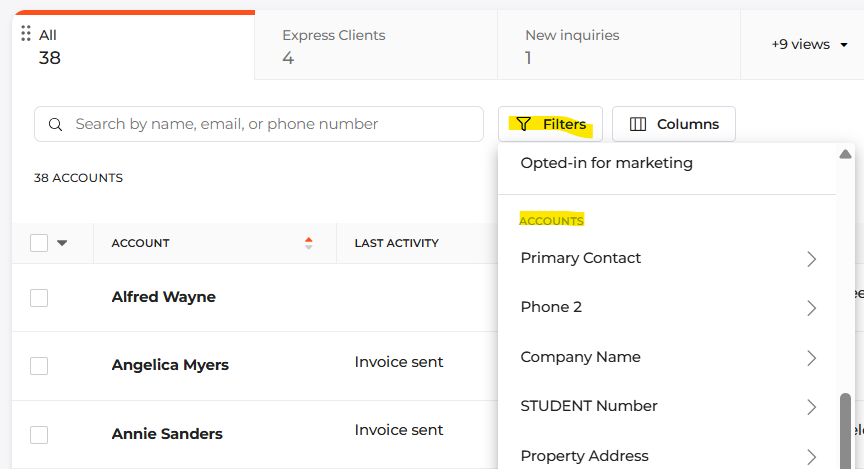 0
0 -
I use one particular report regularly. There are not 1606 clients on this report, and when i select this report or 'view' to export, it's incorrect in both what i'm visually looking at and what i have to export. So i'm clear these filters aren't going to pull by what i selected. i have to recreate them every time?
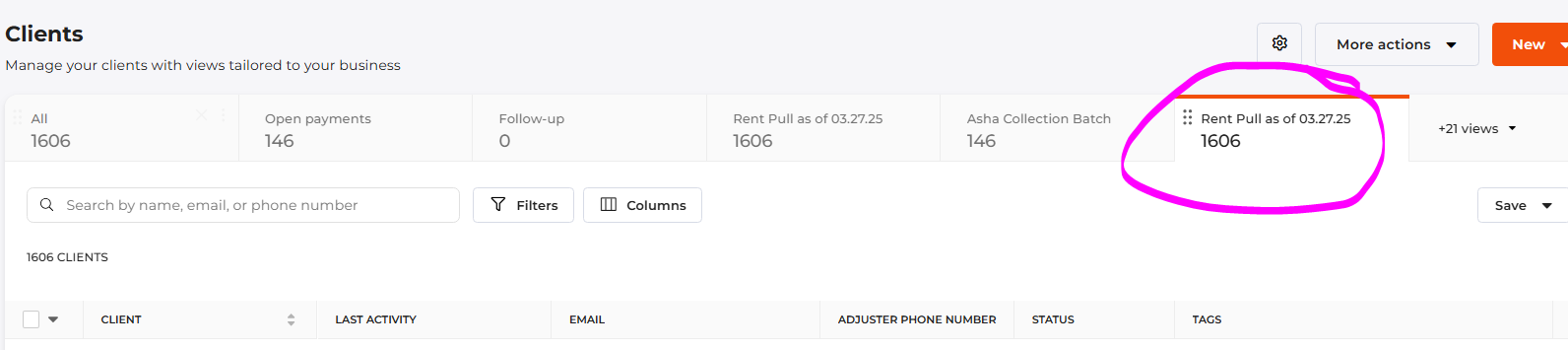
These were the headers in that report before the redesign
 0
0 -
Hey there,
With the new client view, there may be some differences to how you filter each view. For the best experience, we recommend using tags to differentiate between each one.
For example, If I have two views – one for clients who have tag “Service1” and the other “Service2”, I can save each view separately without having to filter it every time I access it. As long as there are clients under that tag, the software will automatically show me the clients in the correct view.For exporting, it will work similar to the old system. If you are in the view you want to export, you can go to More Actions > Export. In the pop-up that follows, you would still select “Custom” under Columns to only export those fields and under Rows, you would select “Filtered” (example below).
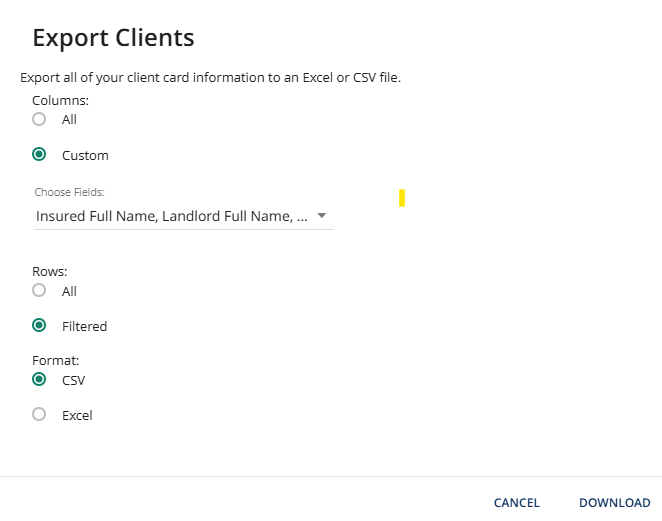
Please let me know if this helps at all!
0 -

I used the following filter:
Tankless
Then clicked on Bookings. It displayed (332) but only showed a list of 16. How do I see all 332?
0 -
Hey Nathan!
I just sent you an email regarding this so we can look into it further.0


Please sign in to leave a comment.
Comments
7 comments