Website Popup

How do I get rid of the Covid19 popup that comes up on our website page when the website is opened?
0
-
Hi Haydee,
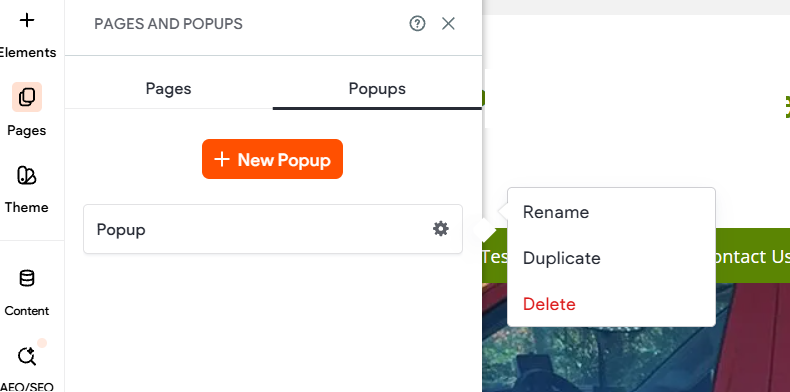
When in the website editor, select Pages > PopUps. Select the gear next to the popup you would like to disable then select Delete
If you need any assistance, our 24/7 team can be reached at 844.998.4798 or support@thryv.com.
0

Please sign in to leave a comment.
Comments
1 comment