Business Center Professional - How to Re-Opt In to Emails

Our client has Business Center Professional. They send a regular newsletter Announcement and many of their clients have inadvertently opted out. How can they opt back in? Is there a way to send a bulk re-opt in email to all those who have previously opted out?
-
Hi Thomas,
Currently there is not a straightforward way to resubscribe. However, there are a couple of ways someone can go about this:
Using an old marketing email from the business - if their client has an old marketing email, they can click Unsubscribe at the bottom. After doing this, it will give them an option to opt back into receiving campaigns from the business (Click to re-subscribe). Example below:
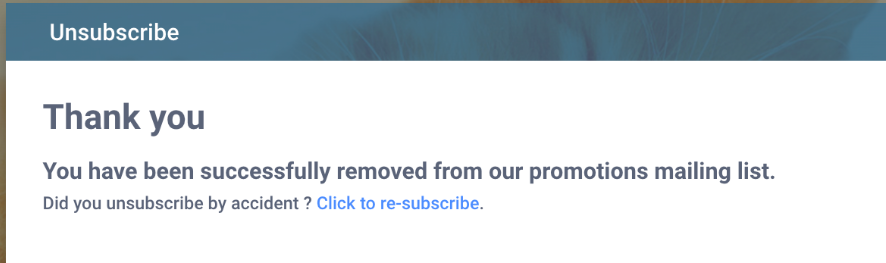
If the client doesnt have access to an old promotional message, the business owner (or another staff member) who has access to one, can forward it directly to the client's email address from their inbox (so that the message sends like a normal message). From there, the client should be able to follow the steps above.
Thank you!
0 -
Hi Thomas,
It would be the staff member sending it from a regular email account so that the client can access that unsubscribe link. Alternatively, they can copy the link in the message (right click > copy link) and paste it into a conversation with the client who wants to resubscribe.
0

Please sign in to leave a comment.
Comments
4 comments