Google Analytics

Where can find the app market to connect my google analytics?
0
-
Hey Sara!
Great question. Since you're using Thryv Marketing Center, you won't need to use the App Market to connect Google Analytics.
Instead, you can add your Google Analytics information directly within the Thryv Website Builder! You'd just need to open the builder, click the three-dot (More) menu in the left-hand navigation panel, and select Google Tools. From there, you can insert your Google Analytics code directly. Here's a screenshot for reference:
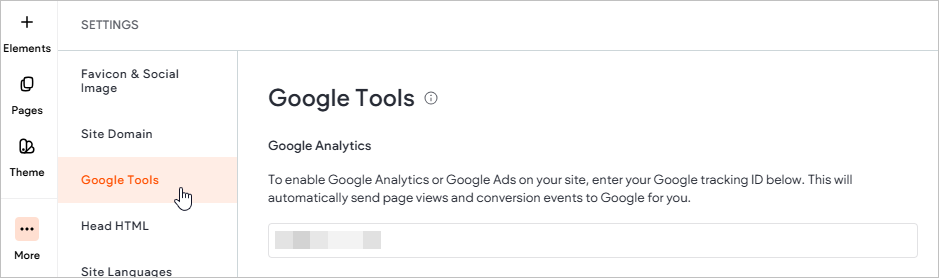
Hope this helps! If you run intro any trouble or have any additional questions, please let us know! We'd be happy to assist further.
0

Please sign in to leave a comment.
Comments
1 comment