Delete an invoice draft

How do you delete an invoice draft?
0
-
Hi Laurie,
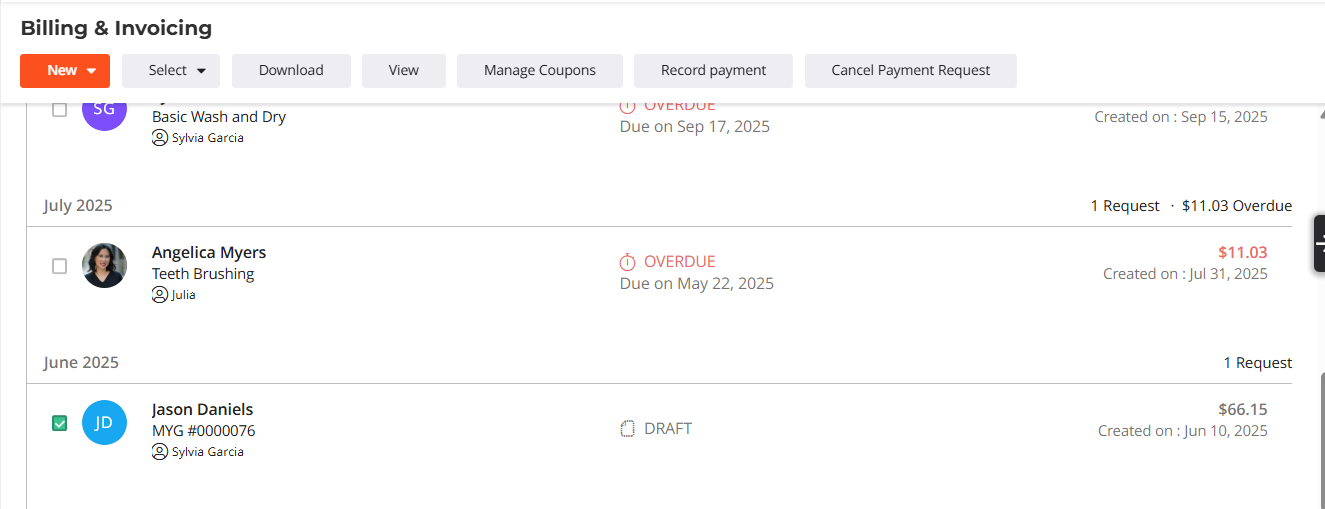
When viewing the draft from your dashboard, select it with the checkbox, then select "Cancel Payment Request" (appears at the top after selecting an invoice). You'll get a pop up to confirm if you want to cancel. After confirming, the draft will be removed from the dashboard/client card.
Let me know if you have any questions!
Thanks!
0

Please sign in to leave a comment.
Comments
1 comment